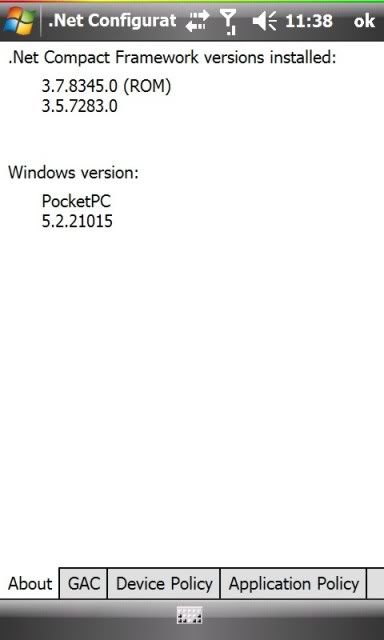
Seems like the guys at xda have found .net v3.7 in one of the leaked windows mobile 6.5 ROMS. If you don't know what it is, it is covered here. I'm not too sure of the changelog or enhancements to this update since it's not even on the microsoft site yet.
We all know with Windows Mobile, programs don't close when we press the 'x' button. Obviously with this, your RAM would be less available for other programs and making your device slow. One thing to do is to definitely close the program or open up task manager and click on the programs to close - usually all of them.
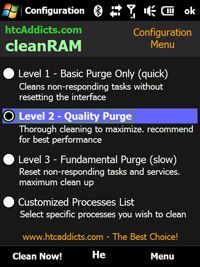
Luckily one develeoper from xda-developers and htcAddicts, ronenpg has developed cleanRAM. Newest version is v1.5. What's the difference between this and say Oxios Hibernate? For one, you can schedule when you want to free up RAM and it also offers 3 levels of cleaning.
I'm using v1.0.97 and doing ok. It does minimises the times I need to soft reset. Variable amout of RAM reclaimed each time. The new version seems to be better as with most up to date versions of software.
Give this app a try and report any bugs to the xda thread.
Description: cleanRAM is a very useful tool for Windows Mobile 6+ devices (specially for HTC TouchFLO). cleanRAM is a memory reclaimer similar to Oxios but with advanced settings and actually works! this applications is specially for diamond/pro devices. Great solution for the Windows Mobile memory leak problem. cleanRAM attempts to release as much memory as possible, cleanRAM will refresh your device memory (RAM). cleanRAM can save you a lot of SOFT RESET!
This is a fun app cloned from the iphone app iWobble called hdWobble. Why hdWobble? It was originally made for the Touch HD.
It essentially can make any part of a picture wobble most likely pics of a womans boobs when you shake your phone. I can't see any other point of this app, but it sure is amusing to see a nice pair of boobs shake & wobble when you shake it!
Features:
supports VGA, QVGA, WQVGA and WVGA displays
custom image loading (tested so far: jpeg, png, bmp)
adding any number of round wobbling objects
deleting wobbling objects
resizing wobbling objects
vibration feedback when wobbling objects are pressed or dragged
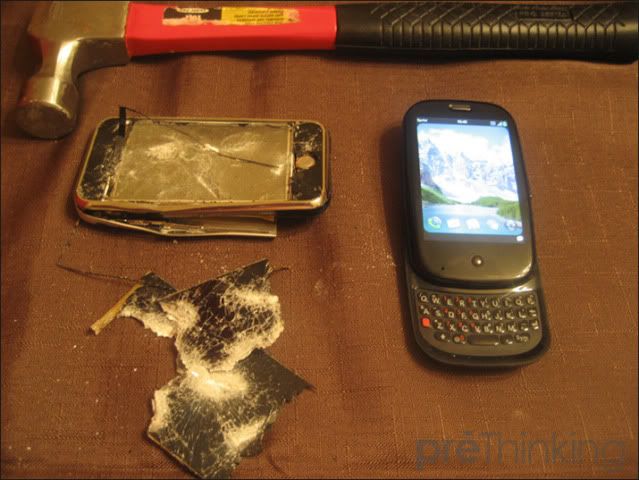
This guy is such a moron! He just got his hands on the Palm Pre, which was out on Monday in the US and hammered his gen 1 iphone literally! What the hell was he thinking? Is he that rich? He should've either just keep the phone, unlock & sell it or he could've given it to my sister who really wants an iphone (she won't bat an eyelid to Windows Mobile since iphone is the in thing at the moment).
Stupid idiot mofo with too much money or just plain stupid. Not worth the 15 seconds of fame as with the Zune tatoo guy (who now is much happier with his ipod).
I used to use Opera quite a lot on my PC, but for the last 1 1/2 years, I defected to Firefox and never looked back. Not for my Touch Pro though since it's bundled with Opera and Fennec is still in early alpha stage. I find Opera better than Pocket IE for pda web browsing.
Opera has now released a new version of it's mobile browser, but it's still in beta for the moment. From the videos below, it gets 100/100 in Acid3 test and is FASTTTT! Opera Turbo really makes pages load faster. One main downside is that since it's beta, it doesn't support Flash, so no Youtube yet.
9.7 beta known issues
Browser
Opera Turbo in Opera Mobile is still a preview-feature;
Downloads don't work while Opera Turbo is enabled.
Some settings (such as toggle on/off images) do not apply when Opera Turbo is enabled.
On older WM 5.0 Devices with 480x800 resolution, switching between portrait and landscape may cause display errors. This is due to lack of support for this resolution in early versions of Microsoft's driver.
Some input method editors are known not to work well with Opera because they do not comply with Microsoft's SIP and/or IME standard. When such an editor is detected by Opera, Opera will use a known (default) input method instead. An exception is EzInput v1.5, where the phone keypad and compact QUERTY, ABC mode doesn't work, but the rest of the modes work fine. We recommend upgrading to EzInput v2.0 to avoid this.
Only support for FlashLite 3.x. No Flash plugin included.
Widget manager add-on
The Widget manager is an add-on to the browser, so the browser must be installed in order for the widget manager to work.
We recommend disabling Opera Turbo in the browser when using the widget manager.
Rotating widgets does not work properly. Portrait mode should be used when running widgets.
Widgets + Plugins (Flash & Gears) don't work.
Clicking internal links in a widget will launch the browser.
Twitter widget might have login problems on first run. If this happens, just close the Twitter widget (X) and open it again.
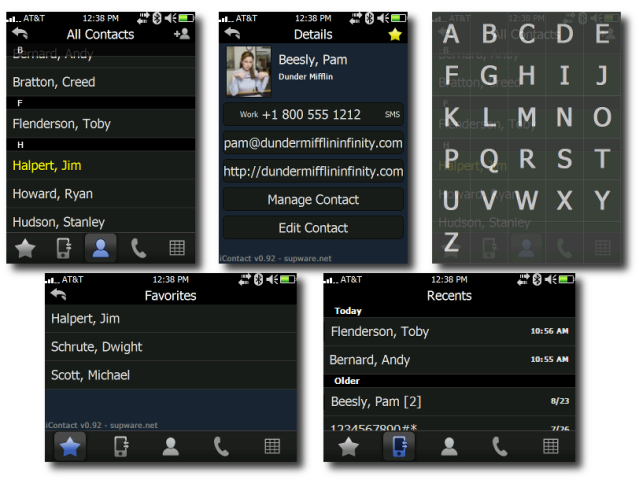
supbro has just released a new version of iContact - v0.94. In case anybody who doesn't know what it is, iContact is a finger friendly and easily customisable contact application that can replace the default Windows Mobile Contact app. If you like the app, please consider donating to supbro at the site.
Here's the full list of improvements:
[+] Added scrollbar [+] Added "-details [oid]" command line option to jump straight to contact details [+] Added "Create Shortcut" button to create start menu item [+] Added "enableSensor" registry setting for touch sensor [+] Reset Missed Call Count upon visiting -recents tab [+] Added ability to jump to a letter using hardware keyboard [#] Fixed bug with D-Pad + SMS [#] Fixed clipping issue with contact names on QVGA screens [#] Fixed bug that was forcing exit when service changed [#] Used DeviceResolutionAware.h [#] Fixed bug with keyboard popup on categories or details [#] Fixed bug with Settings.exe not displaying more than 8 categories
I wish I was working for Pocketnow.com and my name is Brendan. But that is not meant to be, so I have only these videos made by Brendan from Pocketnow.com unboxing the Touch Pro 2 and reviewing the hardware & software.
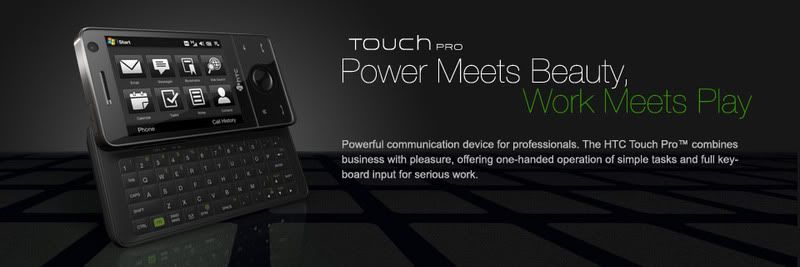
As much as I would love to have all the latest gadgets, I don't think I will change my Touch Pro so soon after buying it. I only bought it in December 08. After a few months, HTC announced the Touch Diamond 2 & Touch Pro 2. Damn HTC! Well what can you do?





 Posts
Posts








